ซื้อคอมมือสองมา หรือลงวินโดวส์ใหม่แล้วไม่แน่ใจว่า Windows 11 เครื่องนี้ “ของแท้” (Activated) หรือยัง เช็คได้เองใน 2 นาทีโดยไม่ต้องลงโปรแกรมเสริมใดๆ
เช็คสถานะ Activation ผ่าน Settings
- เปิด Settings (กด
Win + I) - เลือกเมนู System ทางซ้าย
- เลื่อนลงไปกด Activation
- ดูที่ช่อง Activation status
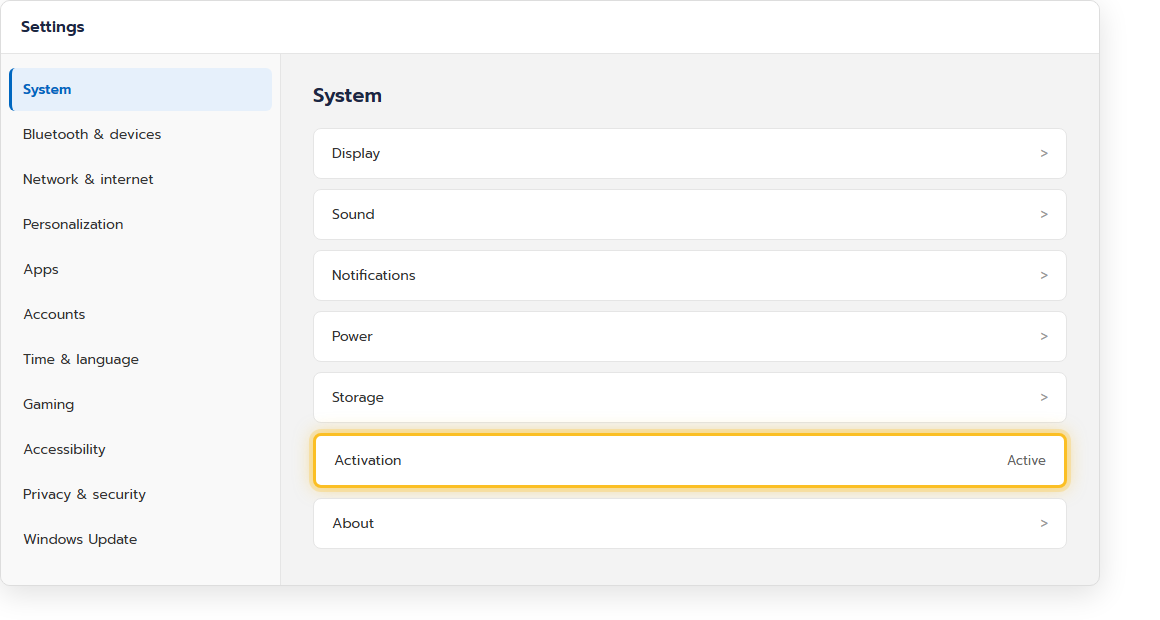
ผลลัพธ์ที่จะเจอ และความหมาย
| ข้อความที่ขึ้น | ความหมาย |
|---|---|
| Windows is activated with a digital license | ของแท้ ผูกกับฮาร์ดแวร์เครื่องนี้ ไม่ต้องใส่ product key อีก |
| Windows is activated with a digital license linked to your Microsoft account | ของแท้ ผูกกับบัญชี Microsoft — ลงวินโดวส์ใหม่แล้วล็อกอินบัญชีเดิมก็ activate อัตโนมัติ |
| Windows is not activated | ยังไม่ของแท้ ต้องใส่ product key หรือซื้อสิทธิ์ใช้งาน มักมีลายน้ำ “Activate Windows” มุมขวาล่างจอด้วย |
เช็คแบบละเอียดกว่านั้นด้วย Command Prompt
ถ้าอยากรู้ว่าเป็น digital license หรือ product key แบบไหน เปิด Command Prompt แล้วพิมพ์:
slmgr /xprจะมีหน้าต่างเล็กเด้งขึ้นมาบอกสถานะการ activate แบบละเอียด
ถ้าเจอ “Windows is not activated” ทำยังไง
- ถ้าเครื่องเคย activate มาก่อน (เช่น เปลี่ยนฮาร์ดดิสก์/เมนบอร์ด) — ลองล็อกอินด้วยบัญชี Microsoft เดิมที่เคย activate ไว้ก่อน มักกลับมาใช้ได้เอง
- ถ้าซื้อคอมมือสอง — ถามผู้ขายว่ามี product key ของแท้ให้ไหม
- ห้ามใช้โปรแกรม/สคริปต์ activate ปลอมจากอินเทอร์เน็ต เสี่ยงมัลแวร์และผิดกฎหมายลิขสิทธิ์